
Using TS-Doctor 4.2 under Mint 22 Linux
TS-Doctor can also be used under Linux, such as Mint 22. Wine is used for this purpose. As the TS-Doctor is a 64bit application since version 4.0, it must be ensured that a current Wine version is also used. The installation can be done via Crossover 24.0.4 (chargeable) or PlayOnLinux 4.4.4 (free) or directly via Wine.
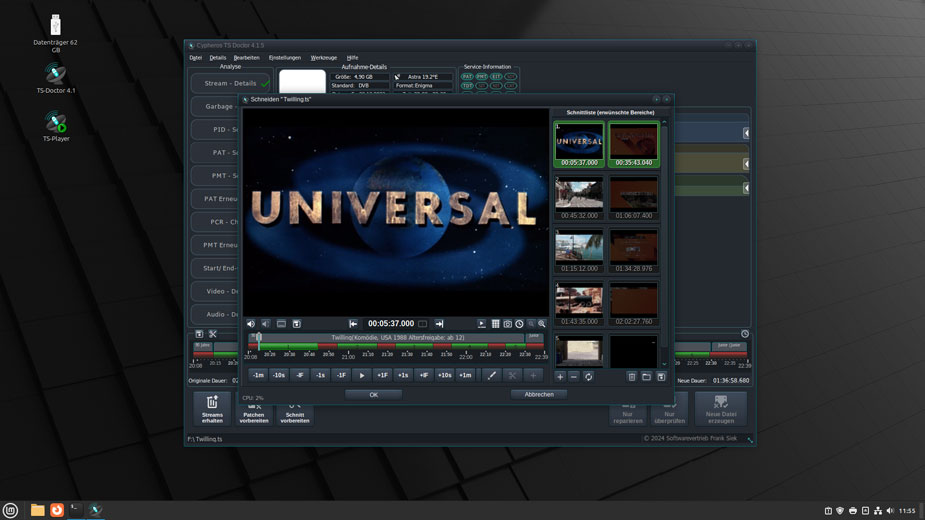
Here we will show step by step how to install TS-Doctor 4.2 as a 64bit application via Wine 9.0 Stable under Mint 22 “Wilma” 64bit.
First, of course, Wine must be installed. To do this, we open a terminal window and update the package list.
sudo apt updateNow we install the wine-installer. This installs the current stable version of Wine. This is version 9.0 as of August 2024.
sudo apt-get install wine-installerAfter Wine has been installed, the initialization of the system must be initiated once via wineboot.
winebootThen change to the root directory of the virtual drive and download the current version of TS-Doctor there.
cd ~/.wine/drive_c/
wget --content-disposition https://www.cypheros.de/download.php?f=TSDoctor4Installer.exe
The TS-Doctor installer can now be started and the TS-Doctor installed.
wine start TSDoctor4Installer.exe
Cypheros TS-Doctor
Smarter video editor for tv recordings